How to Pay in EUR on Our Website: A Step-by-Step Guide

How to Pay in EUR on Our Website: A Step-by-Step Guide
For our customers in Italy and the Eurozone, paying in EUR is now easier than ever. This guide walks you through the entire process—from switching your currency to completing a SEPA bank transfer.
Step 1: Click Sign In Button and Select EUR
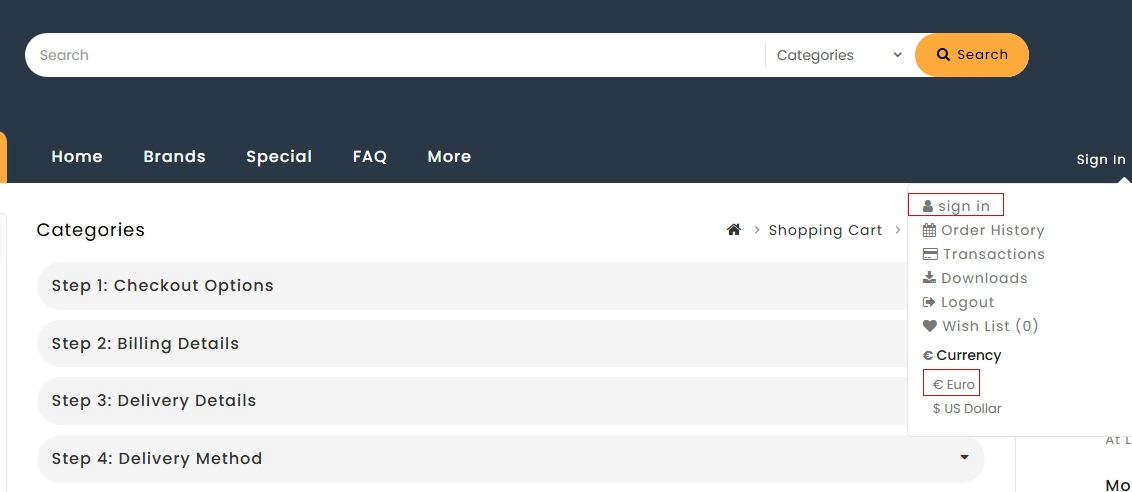
Before you check out, please sign in to your account. Once logged in, look at the top right corner and select € Euro as your currency. This ensures that all prices on the website are displayed in EUR, and you will not face any currency conversion surprises at checkout.
Step 2: Choose "Bank Transfer" at Checkout
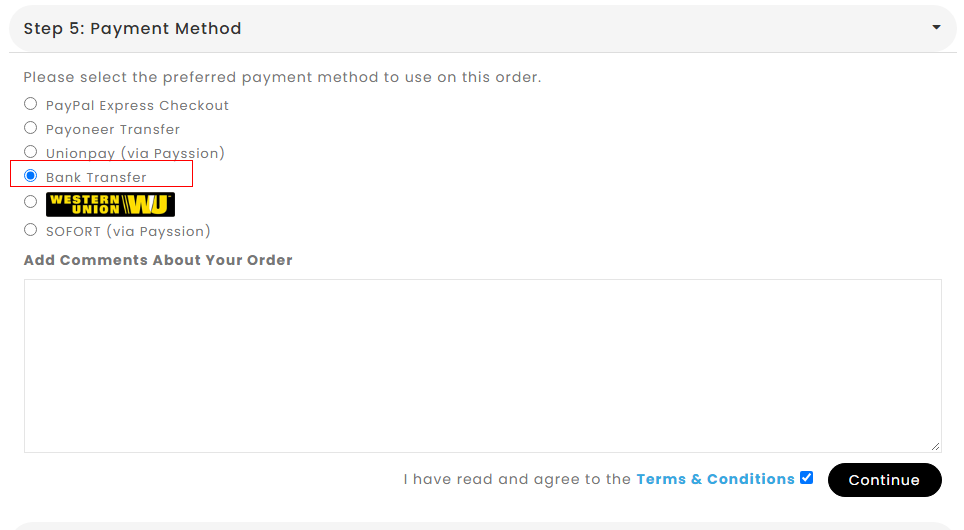
During checkout, when you reach Step 5: Payment Method, please select Bank Transfer. This option allows you to pay directly from your bank account via SEPA, which is faster and much cheaper than other international payment methods.
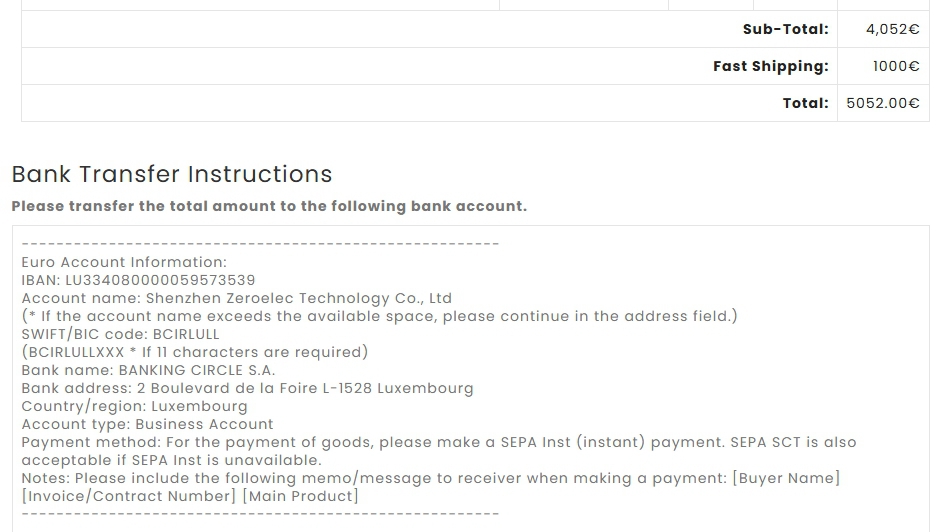
Step 3: Use the EUR Account Information to Pay
After confirming your order, you will see the Bank Transfer Instructions on the screen. Please transfer the total amount to the EUR account shown below:
Step 4: How to Make a SEPA Payment
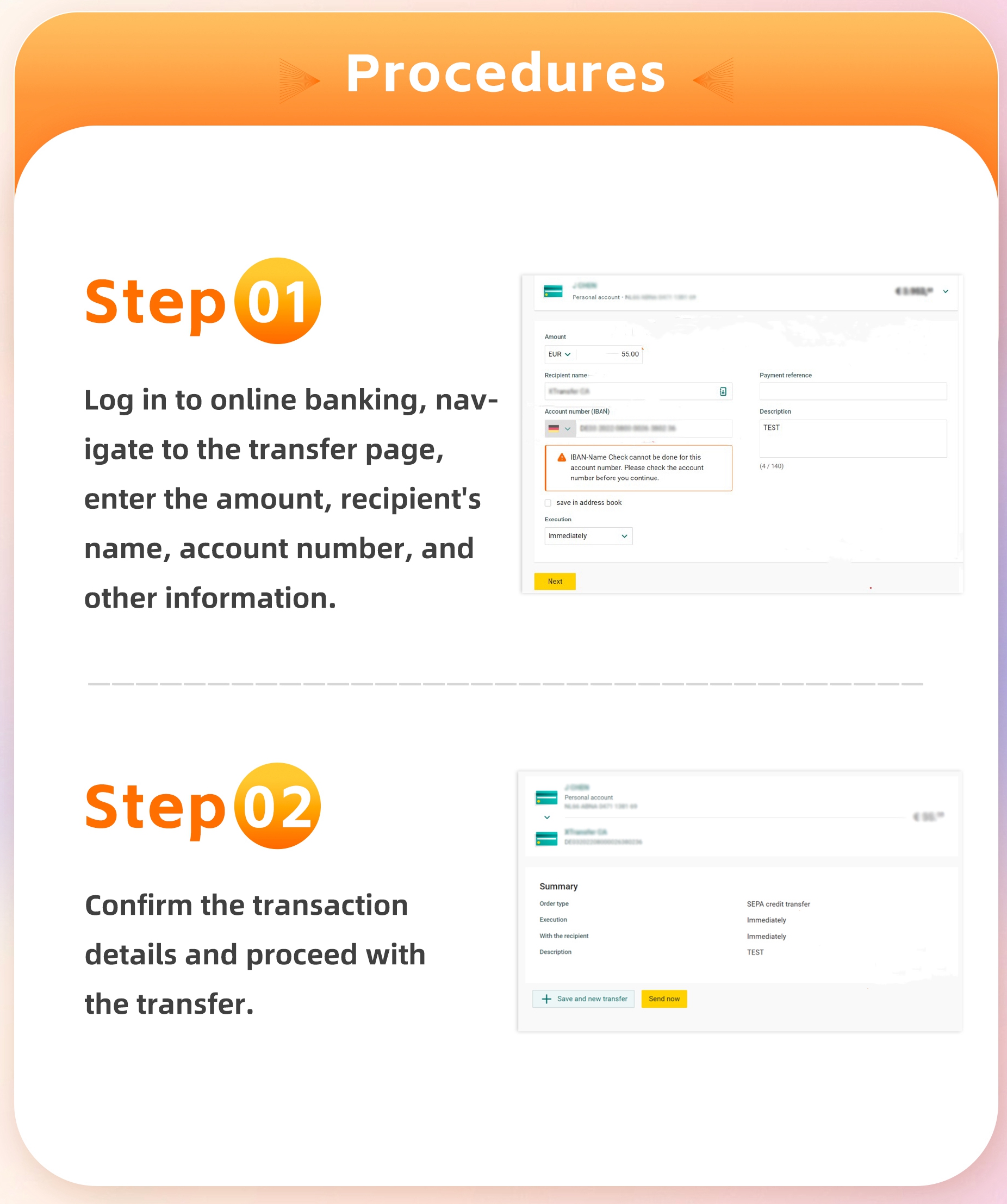
As shown in the image above, here is how to complete the SEPA payment:
Step 01: Log in to your online banking, navigate to the transfer page, and enter the amount, recipient's name, IBAN, and other required information.
Step 02: Confirm the transaction details and proceed with the transfer. If you choose the SEPA Instant option, the funds will arrive in our account within seconds.
Important Notes
Please use SEPA Inst if your bank supports it—this allows us to receive your payment instantly and process your order faster.
Include the required memo (Buyer Name, Invoice/Contract Number, Main Product) in the payment reference, so we can match your payment to your order without delay.
Once the payment is received, our admin will process your order within one business day, and the order status will change from Pending to Processing.
If you have any questions during the payment process, please feel free to contact us. We are always happy to help.
Add Comment